 WebPad
Free online circuit simulator
Put parts on the canvas, wire their ends together, click a switch: the bulb lights, the motor turns and the meters show real values. For science and physics lessons from primary to high school; nothing to install, no account.
No sign-up · Works on phones and smart boards · Real maths: Ohm’s and Kirchhoff’s laws
Ready-made experiments
Each opens in your browser with one click; change it, break it, build it again.
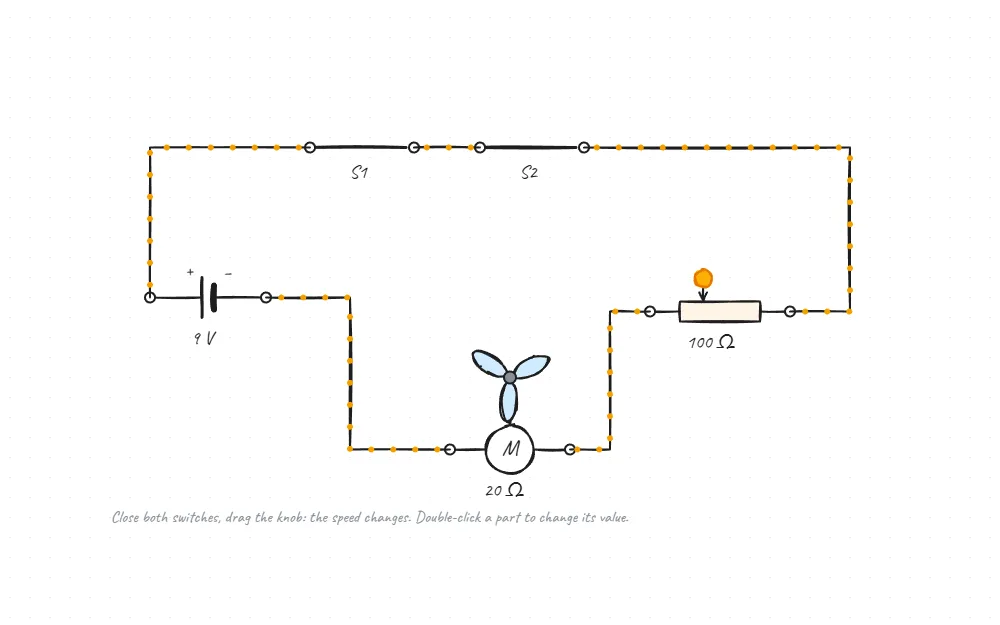
Fan with a speed knob
Close both switches and drag the potentiometer: the fan’s speed changes.
How it works · Open the experiment →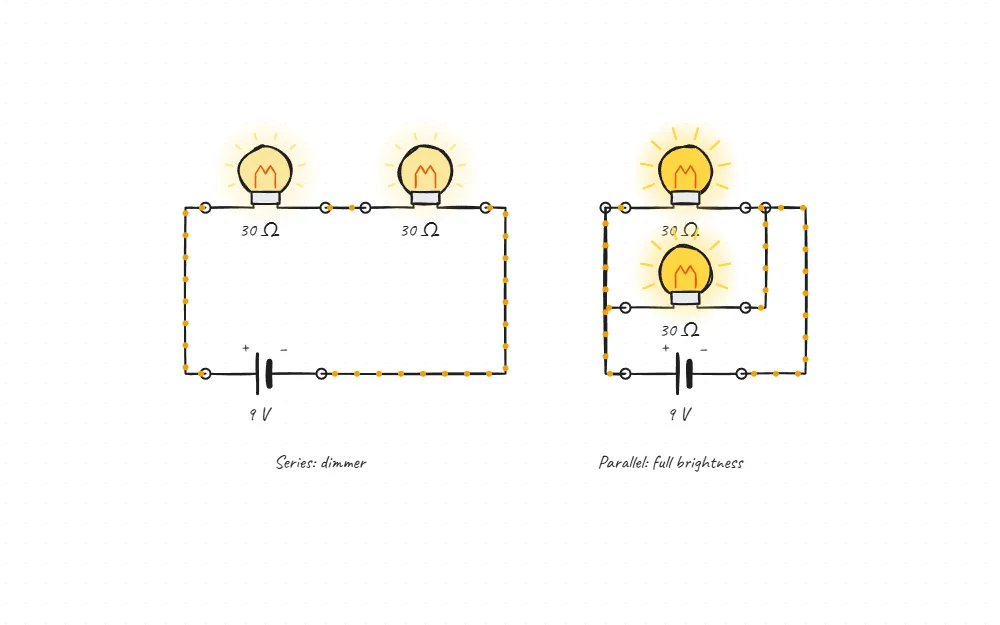
Bulbs in series and in parallel
In series the bulbs share the voltage and glow dim; in parallel each one is full.
How it works · Open the experiment →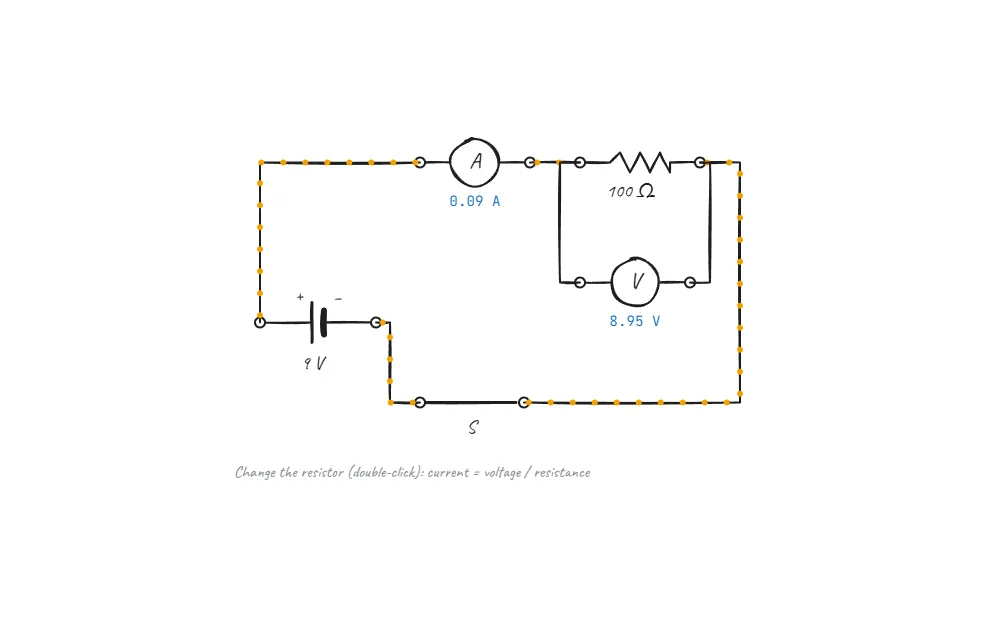
Ohm’s law experiment
Measure with an ammeter and a voltmeter, change the resistor: current = voltage / resistance.
How it works · Open the experiment →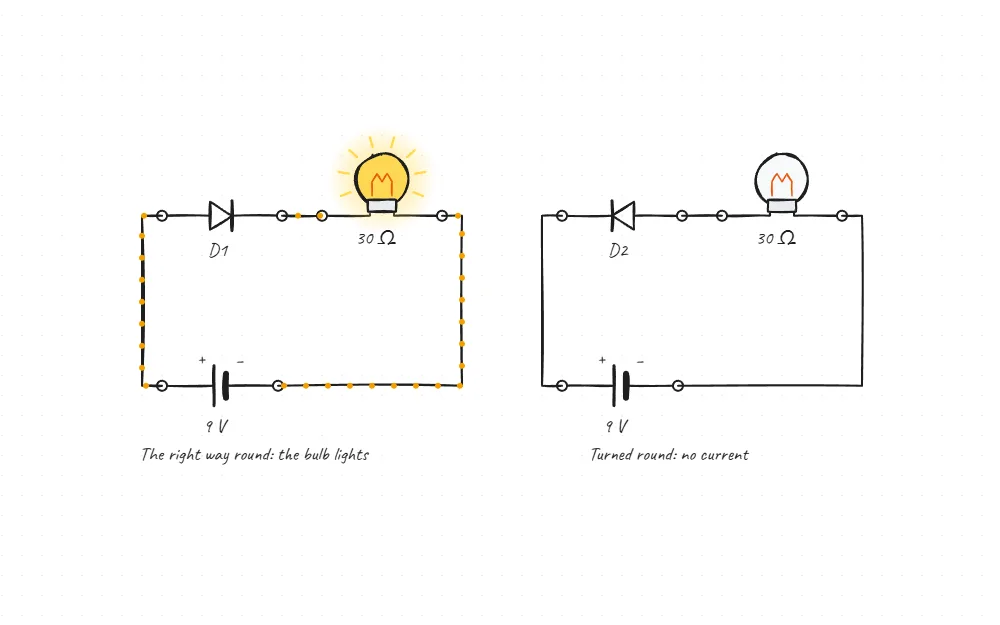
A diode: current one way
The right way round the bulb lights; turned round, no current.
How it works · Open the experiment →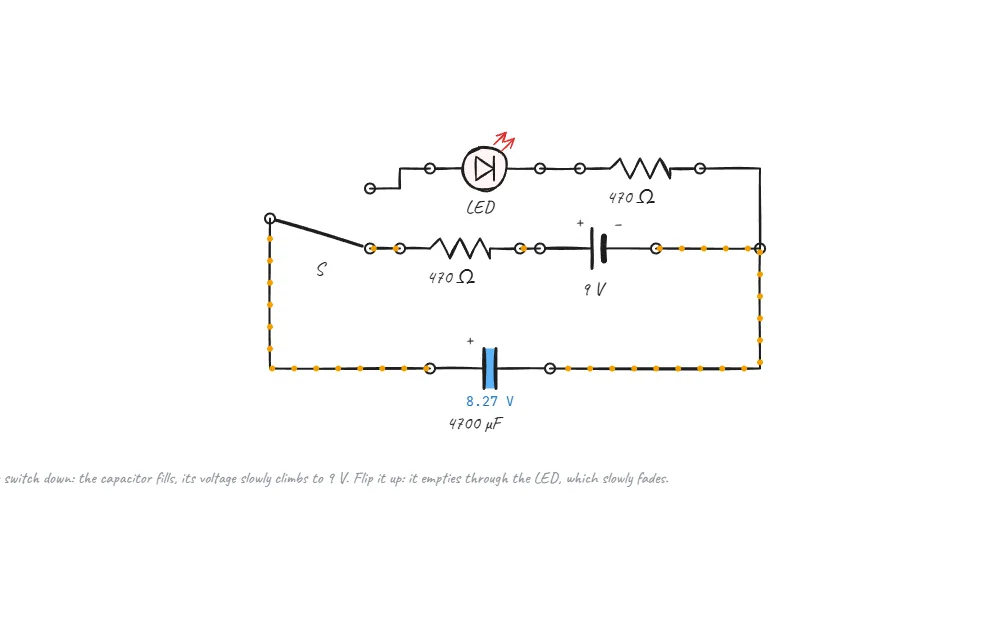
A capacitor charging and emptying
Flip the switch: it fills, then empties slowly through an LED.
How it works · Open the experiment →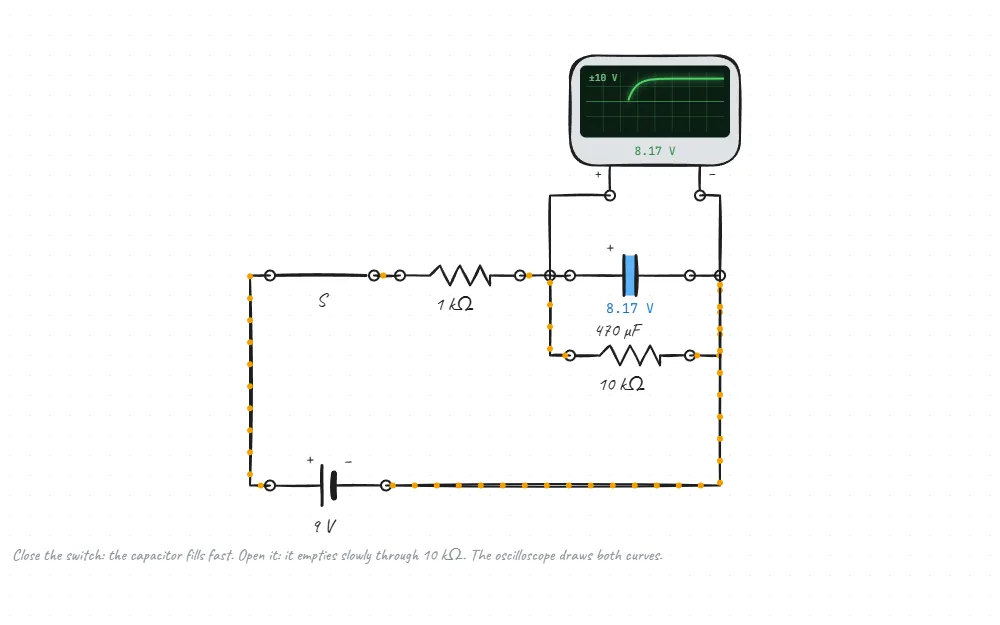
The RC curve on an oscilloscope
The capacitor’s voltage is drawn on the screen: fast charging, slow emptying.
How it works · Open the experiment →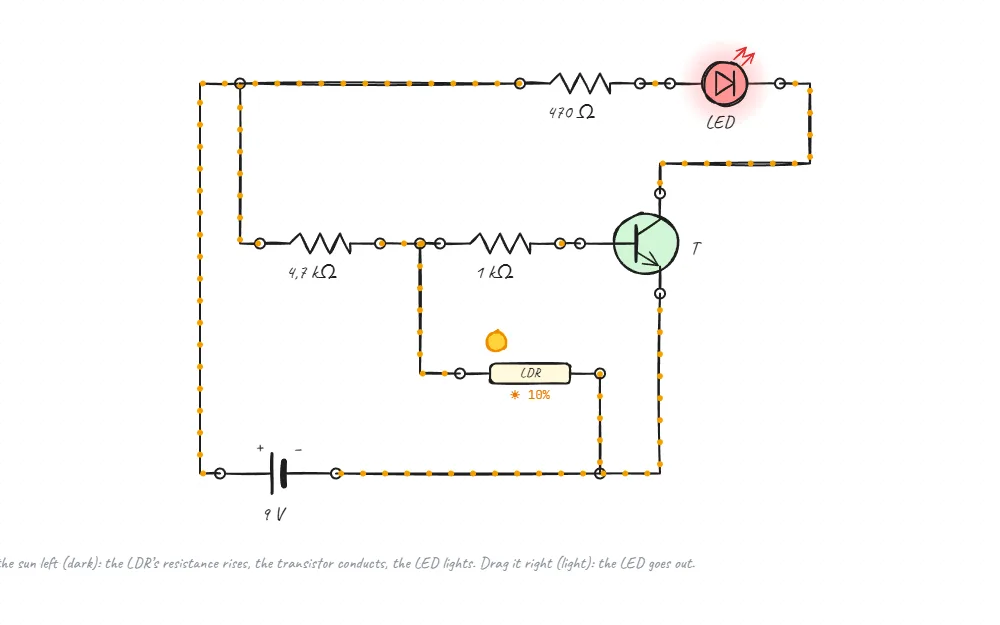
A night light that comes on in the dark
An LDR and a transistor: drag the sun, the LED lights by itself in the dark.
How it works · Open the experiment →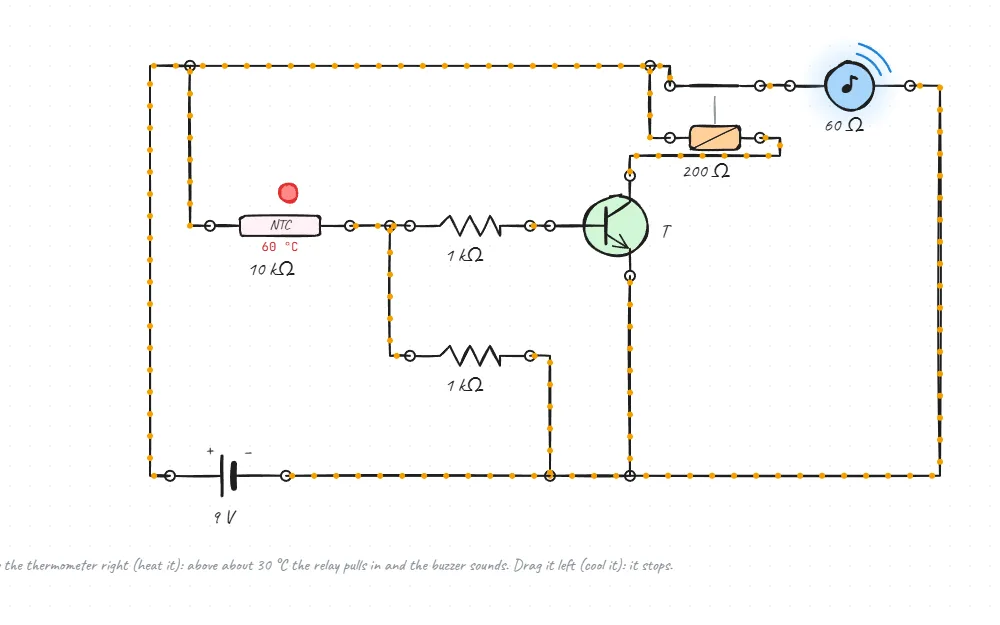
A heat alarm
When the thermistor warms up the transistor pulls the relay in and the bell rings.
How it works · Open the experiment →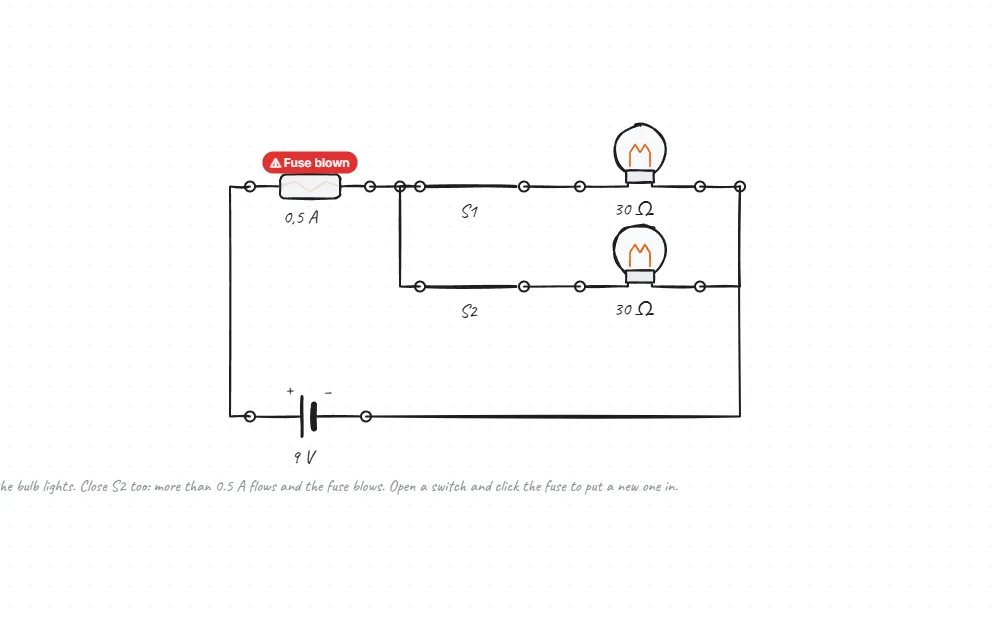
Why does a fuse blow?
Switch the second bulb on too: the current passes the limit and the fuse blows.
How it works · Open the experiment →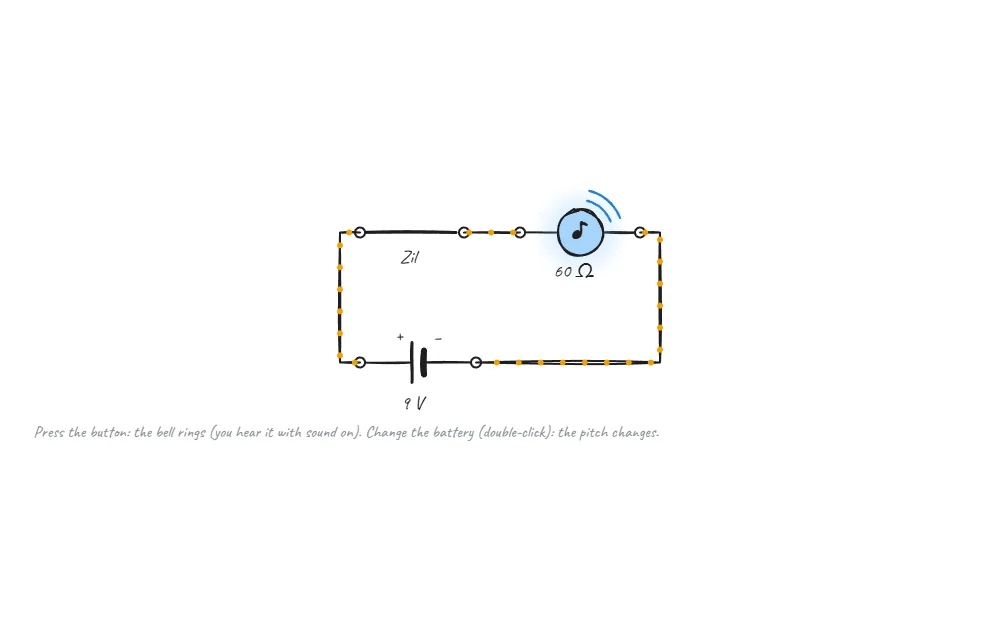
A doorbell
Press the button and the buzzer sounds; the battery’s voltage sets the pitch.
How it works · Open the experiment →For pendulums, projectiles, inclines and more: the virtual physics lab →
How to use it
-
1
Place a part
In the library on the right: Active → Electrical parts. Click a part or drag it onto the canvas.
-
2
Wire it
Pick the line tool in the toolbar below (6) and join the circles at the ends of the parts.
-
3
Run it
Click a switch. Current flows along the wires and the meters show their values; double-click a part to change its value.
Which parts are there?
Double-click a part to change its value (9 V, 100 Ω, 470 µF…).
- Battery
- A voltage source; warns you about a short circuit.
- Switch and two-way switch
- Click to open and close; build a staircase light.
- Bulb
- Glows by the power it gets: dim in series, full in parallel.
- Motor and fan
- Faster with more current, the other way round with the battery reversed.
- Resistor and potentiometer
- Drag the knob: the resistance changes, the bulb dims.
- LED and diode
- Current one way only.
- Ammeter and voltmeter
- Measure current and voltage live.
- Capacitor
- Charges and empties over time; shows its voltage.
- Oscilloscope
- Draws voltage against time: watch the charging curve.
- Fuse
- Blows with too much current; click it for a new one.
- Buzzer
- Sounds and shakes while current flows.
- LDR and thermistor
- Sensors whose resistance follows light and temperature.
- Transistor and relay
- A small current switches a big circuit.
For teachers
- Opens full screen on a smart board; works with a finger or a pen.
- Share a circuit as a link: students open it on their phones without installing anything.
- Add notes, questions and drawings next to the circuit; the same page becomes your lesson.
- Works offline, notes stay on the device; no ads, no accounts.
Questions
Is it free? Do I need an account?
Completely free, no account. It opens in the browser; you can also install it as a Chrome extension.
Are the results right?
Circuits are solved with real electrical laws (Ohm’s and Kirchhoff’s, nodal analysis). Capacitors charge over time, a transistor conducts by its base current. The results are tested against worked answers.
Does it work on phones and tablets?
Yes. webpad.studio opens on phones too; tap to add parts and press switches.
How do I share a circuit with students?
Send the page as a link from the share menu. Students open it working, and can change their own copy.
Is there alternating current?
For now: direct-current circuits and capacitor circuits that change over time. New parts are being added.
Where does my data go?
Nowhere. Circuits and notes are kept in your browser, with an optional backup to your own Google Drive.
Build your first circuit now
A battery, a switch and a bulb: lit in a minute.
Build a circuit in the browser