 WebPad Studio
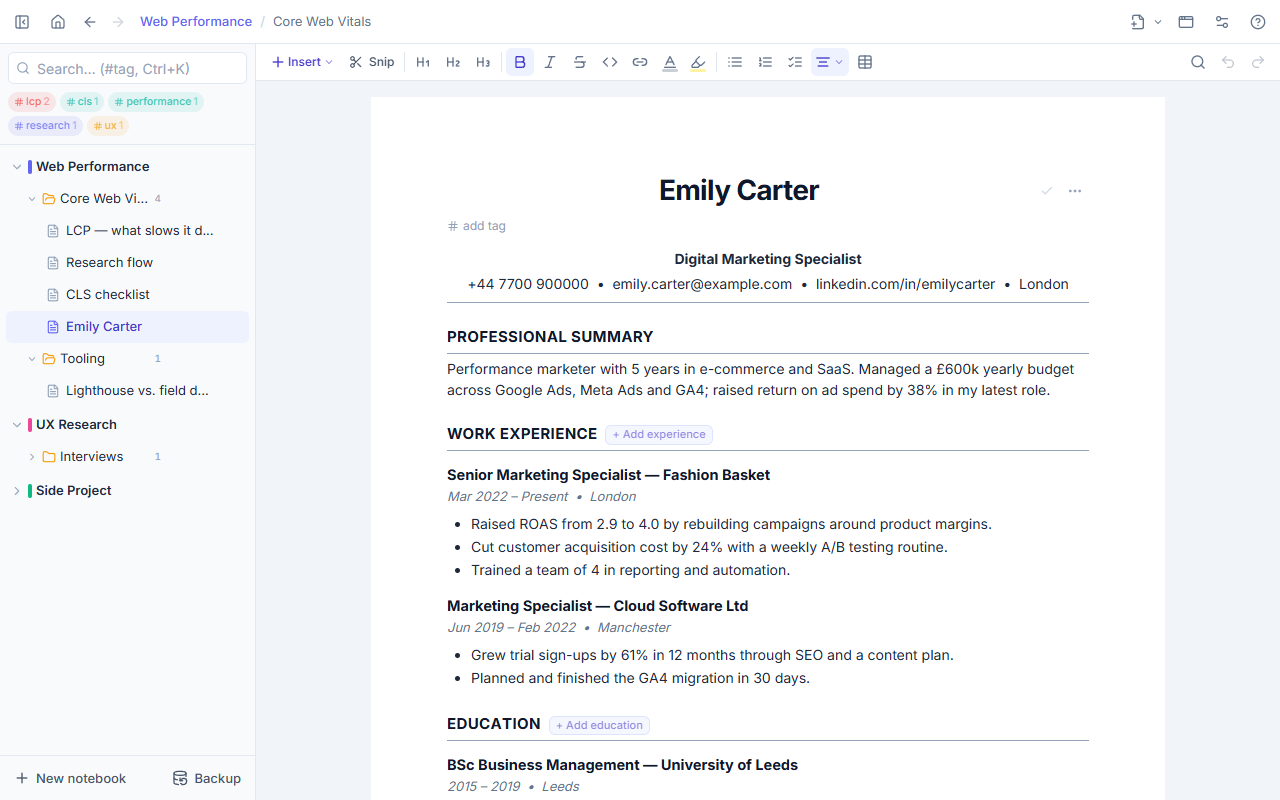
Free ATS-friendly CV template
A one-column CV that applicant tracking systems (ATS) can read. Fill it in your browser, download it as Word or PDF. No sign-up, no fee, your details go nowhere.
- No sign-up
- Word (.docx) and PDF
- Data stays on your device
Ready in three steps
-
1
Open the template
Press “Create it now”, nothing to install. In the extension: New page → From a template → ATS-friendly CV.
-
2
Fill it in
Click a [bracketed] field once and type. “+ Add experience” adds another job. The A4 view shows whether it fits on one page.
-
3
Download
Page menu → Export → Word or PDF. The file is named First_Last_CV for you.
What is an ATS, and why might my CV not be read?
Many companies run applications through software before a recruiter sees them. The software turns your CV into plain text. Two-column designs, tables, text boxes and text inside images get scrambled or disappear on the way. A CV that looks great can arrive half empty.
Why this template is ATS-friendly
- One column; no tables, text boxes or images.
- Contact details in the body, not in the header area.
- Standard section headings: Work experience, Education, Skills, Languages.
- Exports to Word with real heading styles, so systems recognise the sections.
- A plain font and one date format.
- We read the exported file back as plain text to check that the order holds.
6 tips for a strong CV
- Start each bullet with a verb (led, built, cut) and add a number: %, $, people, time.
- Use the skill and tool names exactly as the job post writes them; systems match keywords.
- With 0–5 years of experience, one page is enough. The A4 view shows where the page ends.
- Leave out the photo, date of birth and marital status unless the post asks for them.
- Send a PDF unless the post asks for something else; if the system wants .docx, pick Word.
- Before sending, make sure every [bracket] from the template is gone.
Questions
What is an ATS-friendly CV?
A CV laid out so applicant tracking systems can read it without errors: one column, standard headings, a plain flow without tables or images.
Is it really free?
Yes. The template, editing and the Word/PDF download are free; no account or card. WebPad Studio is a free Chrome extension, and the demo runs in your browser.
Where does my data go?
Nowhere. The CV is stored in your browser; we have no server. With the extension, your notes stay on your computer.
Should I send Word or PDF?
Whatever the post asks for. If it says nothing, PDF is the safe choice; some application systems want .docx, then download Word.
Can I make a Turkish CV?
Yes. The Turkish version of this page opens the template with Turkish headings.
How is this different from Europass?
Europass is the official format for EU institutions, the public sector and academia. This template is a clean CV for private companies that use an ATS; the content can be the same in both.
More templates for your job search
Application tracking, interview prep and saving job posts are in WebPad Studio too. With the extension you snip job posts with Alt+Shift+S into your job-search notebook. WebPad Studio →
Articles
Make your CV now
Nothing to install, no account. Download it as Word or PDF when you are done.
Create it now