WebPad
What’s inside
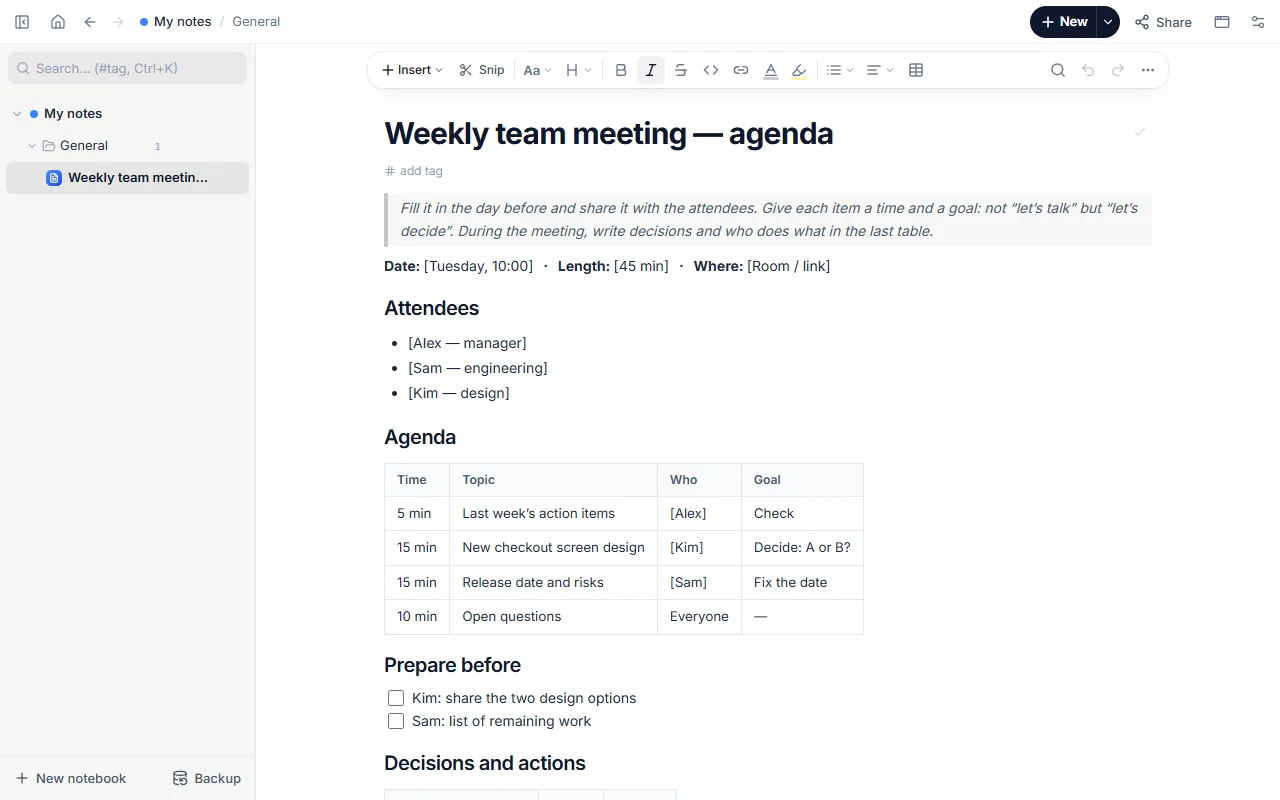
- Date, length and place; attendees
- Agenda table: time, topic, who, goal
- Prepare-before checklist
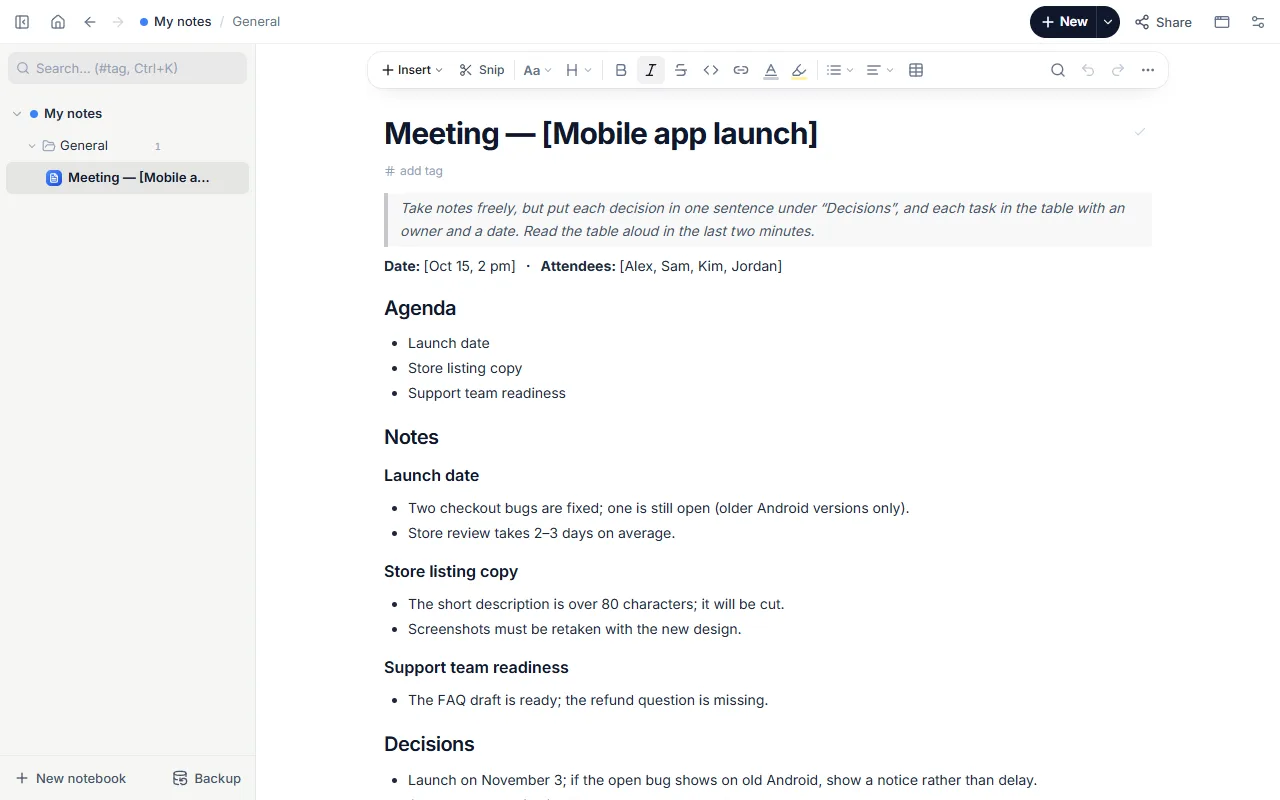
- Decisions and actions table with owner and due date
How to use it
- Open the template and fill in date, length and place.
- List the items with times; the total shouldn’t exceed the meeting.
- For each item write what should come out of it: a decision, an update or ideas.
- Share the page with a link; assign the prep tasks.
- During the meeting add decisions and actions with an owner and date to the last table.
Tips that help
- Put the item that needs a decision first, while energy is high.
- An action without an owner and a date won’t happen; don’t leave those cells empty.
- Make last week’s actions the first item of every meeting (the template does).
Questions
How is it different from the meeting notes template?
The agenda is prepared before the meeting and plans times and goals; meeting notes are for writing during it.
How do I share the agenda?
Use “Share” in the page menu to make a link anyone can read without an account, or send it as a PDF.
Is it free? Do I need an account?
Free, and no account. “Start with this template” opens it in the WebPad Studio web version, ready to write in.
Where is what I write saved?
In your browser’s own storage, on your device only. If you like, back it up to your own Google Drive and sync it across devices; there is no server of ours.
Can I download it as PDF or Word?
Yes. Text pages download as PDF and Word, drawings save as images, and you can share a page with a link.