 WebPad
Free project and task tracking
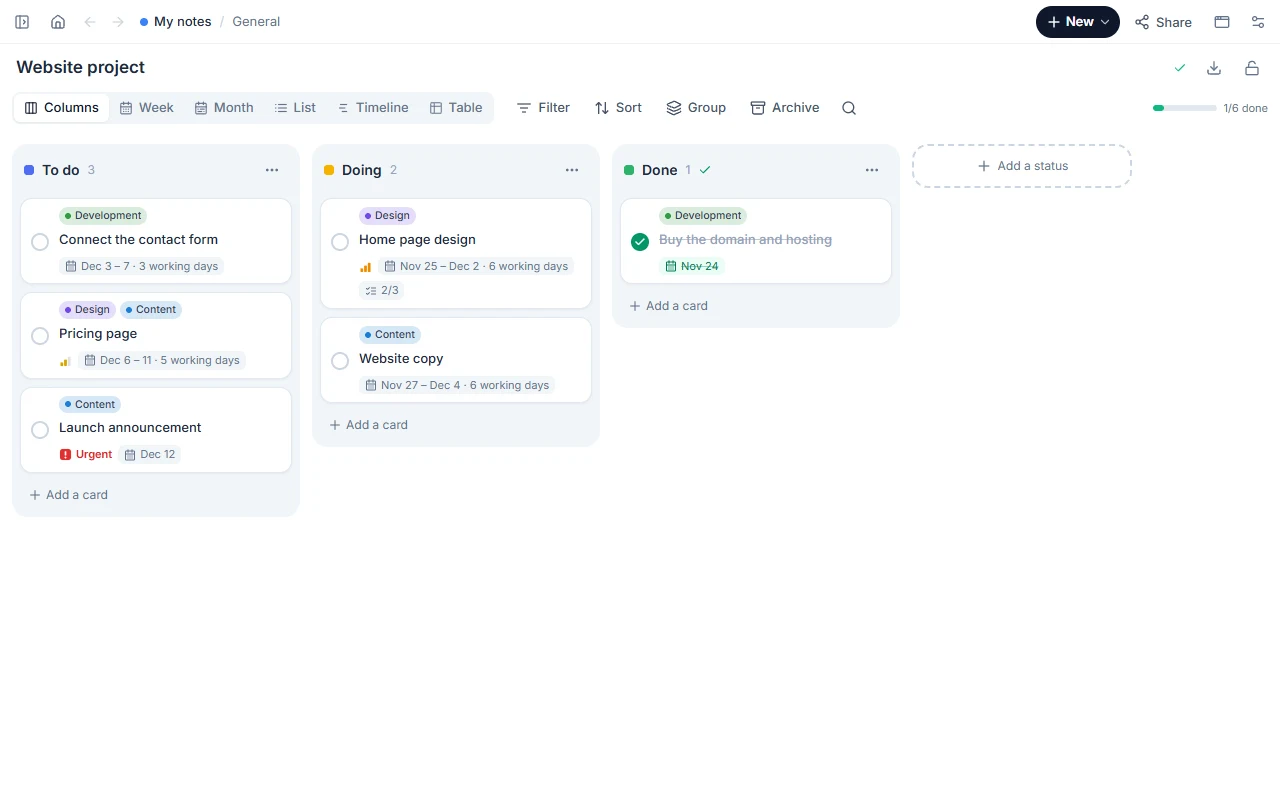
Write your tasks on cards and see where they stand at a glance. What starts when, what is due, how much is done, what is late: all on one board. No account, start right away in your browser.
- Sort work with labels, priority and colour
- See how much of a task is done with its steps
- Pick several cards and move them all at once
Free · No sign-up · Your work stays in your browser · Works on phones too
Timeline and calendar
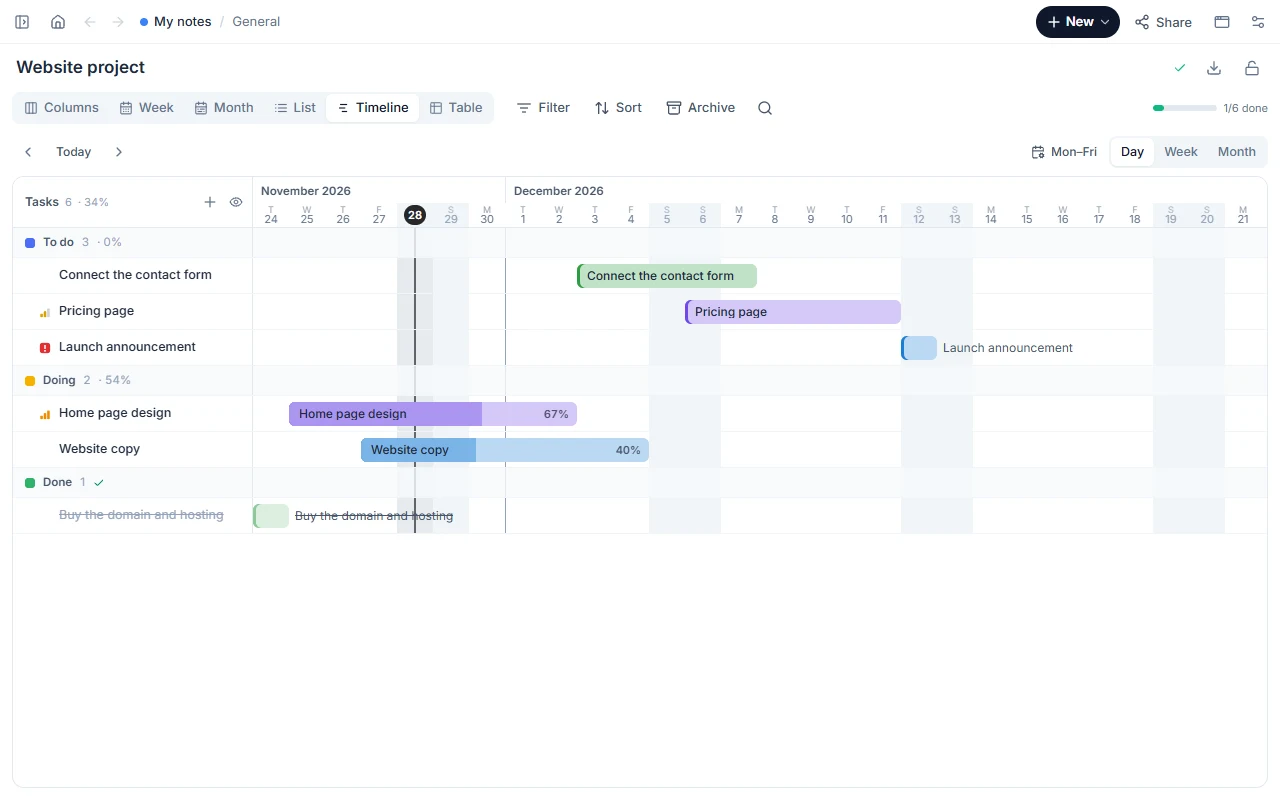
Work that takes several days becomes a bar from its start to its end. Drag the bar to move it, pull its end to make it longer.
- Weekends and holidays are not counted as working days
- The filled part of a bar shows how much is done
- Late work and work behind plan stand out in colour
All of a task in one place
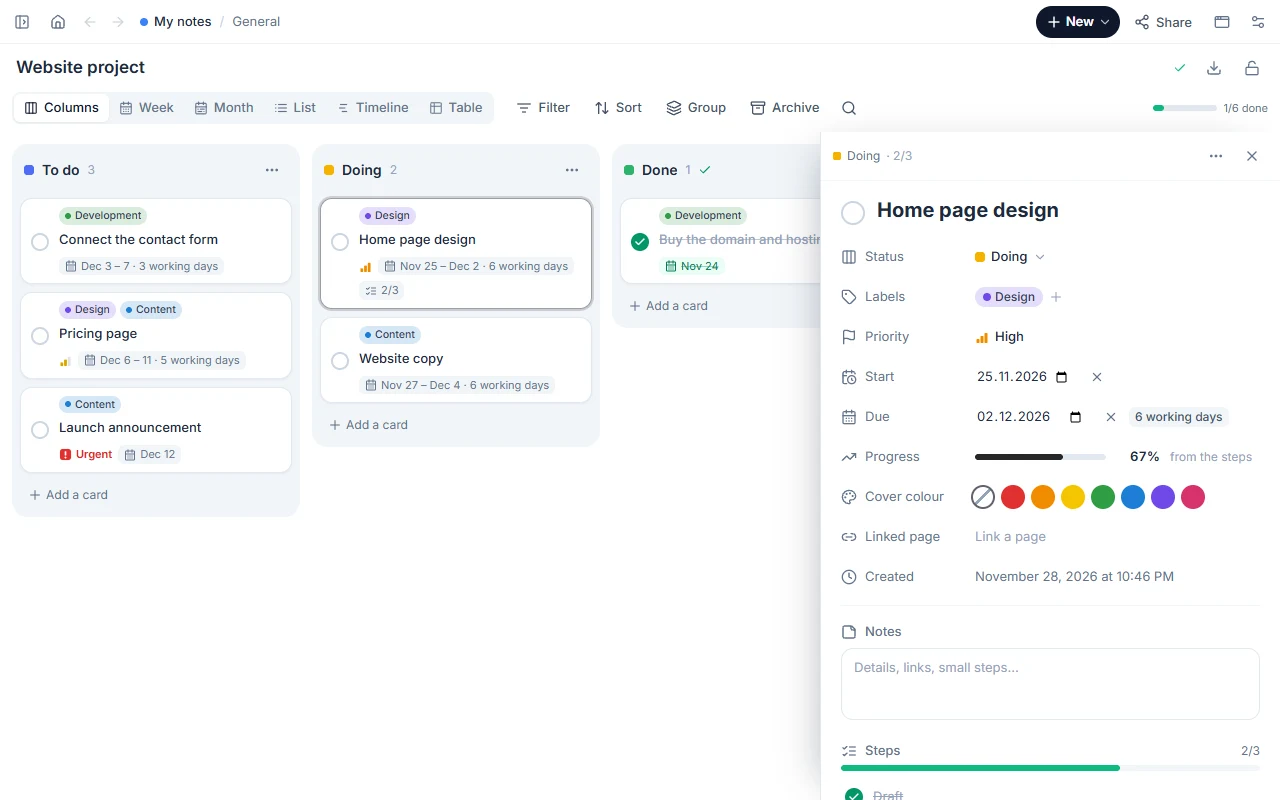
Click a card and it opens at the side: status, dates, priority, progress, notes and steps. The board stays open behind it.
- Add links and details to its notes
- Link the task to a notes page
- Copy, archive, undo
Take it to Excel if you like
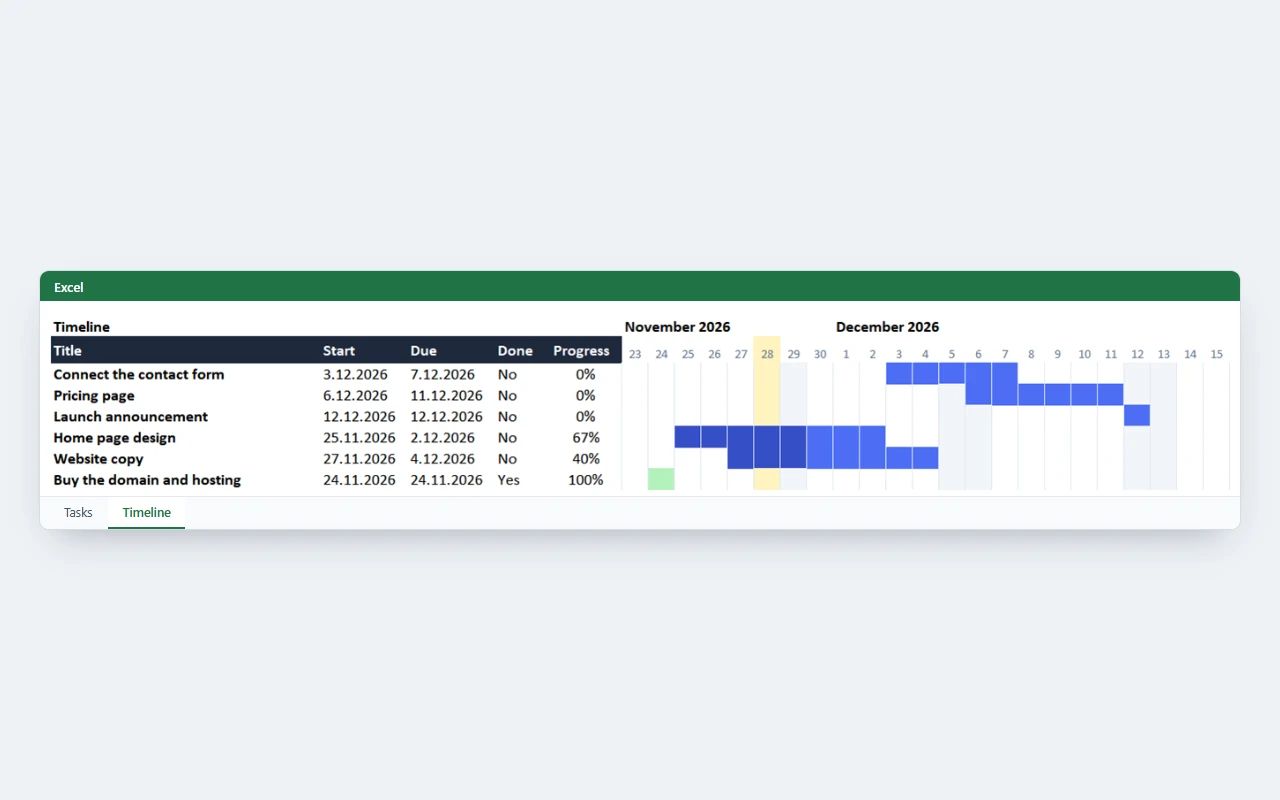
Download the board as a real Excel file in one click: dates, formulas and a timeline sheet that updates itself.
- Durations counted in working days
- Formulas protected from accidental changes
- Ready to share and report
Start in three steps
- 1
Open a board
Start from the ready sample project or an empty board. No account needed.
- 2
Write your tasks
Each task is a card: start and end day, priority, labels, steps.
- 3
Keep track
See it as columns, a calendar or a timeline; late work stands out on its own.
Working with a team? Assigning work, notifications and workload come with your company’s own server: WebPad Server. WebPad Server
Questions
Is it really free?
Yes. Boards, the timeline and the Excel export are free. No account and no card needed.
Where is my work kept?
In your own browser. You can back it up to your own Google Drive; WebPad never sees it.
Does it work on a phone?
Yes. Boards work on phones too; move cards with your finger, the timeline opens by weeks.
Can my team use it together?
You can share a board with a link. Working on the same board as a team, assigning work and getting notifications need your company’s own server, WebPad Server.
Plan your project now
Open the sample project board and change it to fit your own work.
Open the sample project