 WebPad
Free online whiteboard
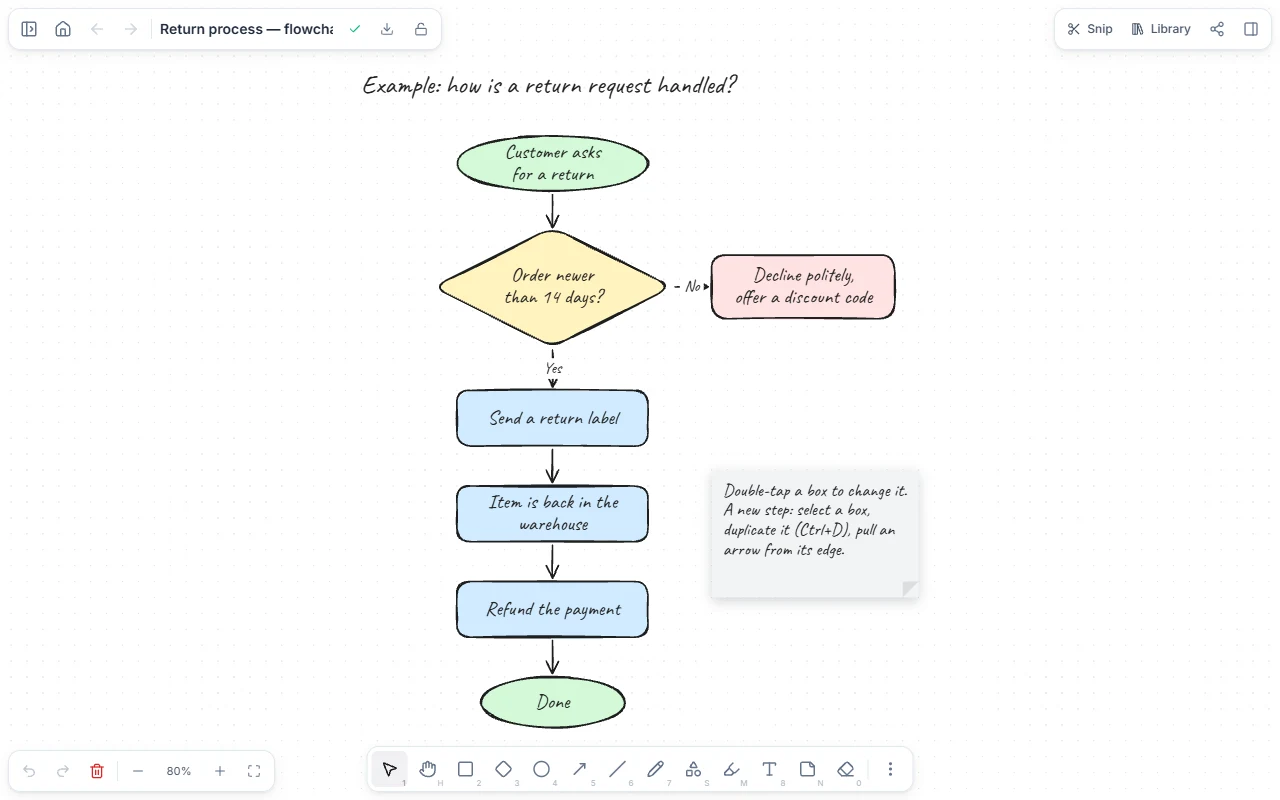
Put what’s in your head on an endless canvas: boxes, arrows, a pen and text. A flowchart, a mind map, a diagram for class or a quick sketch. No account, draw right away in your browser.
- Rectangles, ellipses, diamonds, arrows and lines
- A pen, a highlighter and text
- An endless canvas: zoom and pan
Free · No sign-up · Your work stays in your browser · Works on phones too
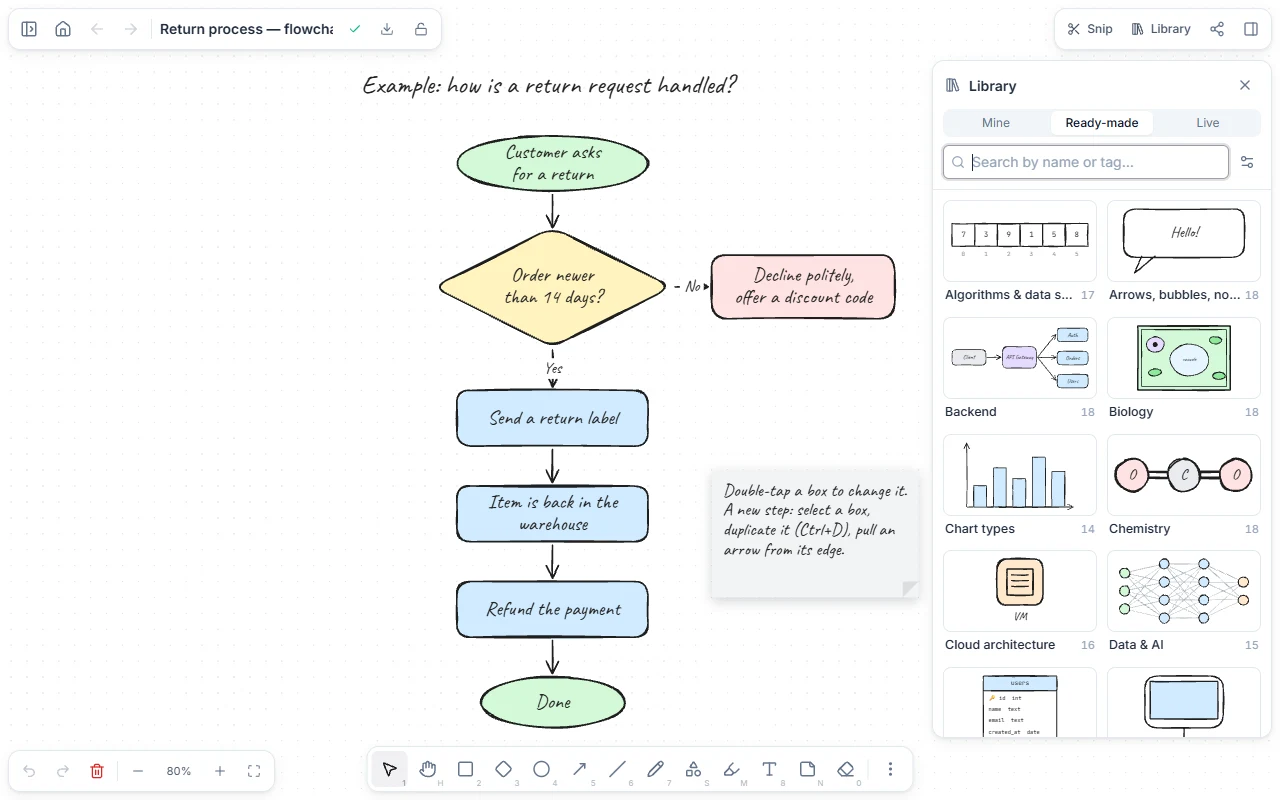
A ready shape library
Flowchart symbols, biology, networks, cloud architecture… Find a shape by name and add it in one click. Save the ones you draw often to your own library.
- Ready packs by topic
- Save your own shapes
- Drag from the library onto the canvas
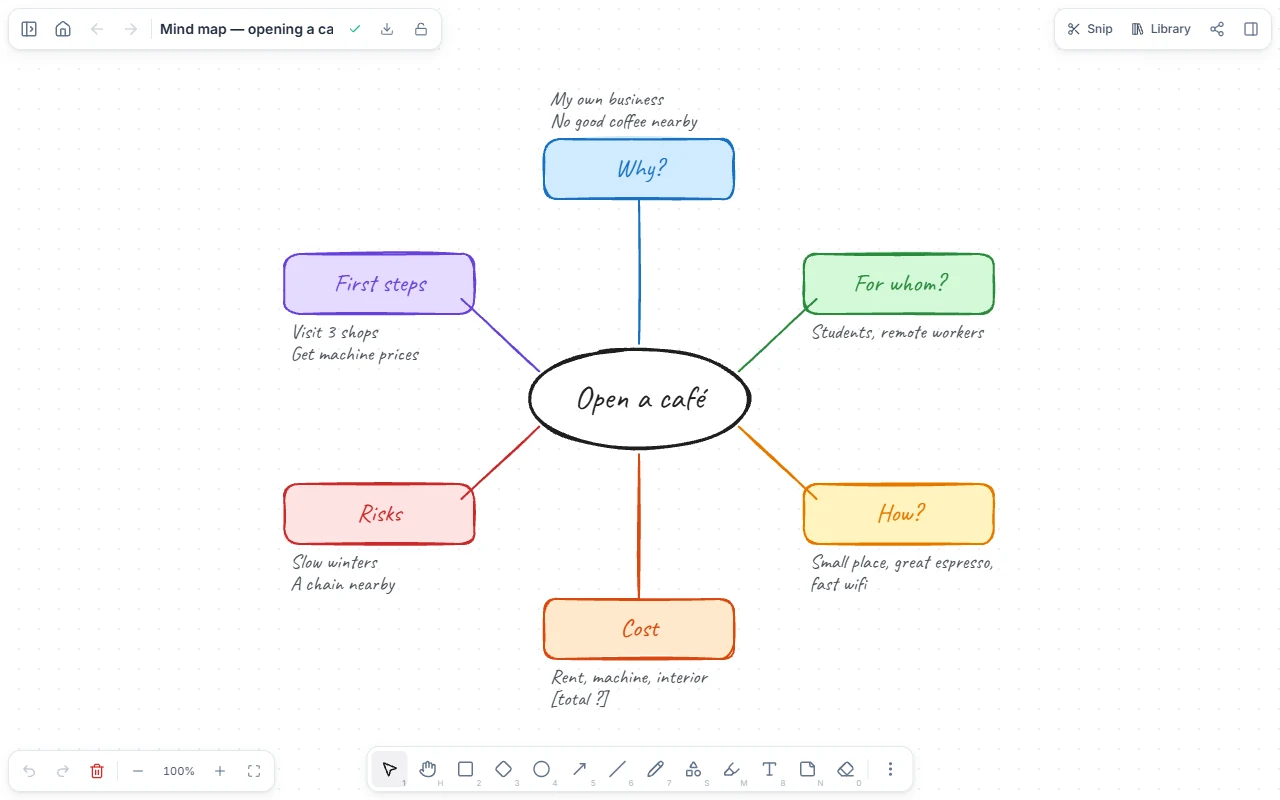
Mind maps and study diagrams
See all the branches of a topic at a glance. Start from the mind map template and grow the branches yourself.
- Ready templates
- Colours and sticky notes
- Opens Excalidraw files too
Three steps
- 1
Open the canvas
Start from the ready flowchart or an empty canvas. No account needed.
- 2
Draw
Pick a tool below: shapes, arrows, pen, text. Add ready shapes from the library.
- 3
Keep it
Your drawing is a page in your notebook, right beside your notes.
Questions
Is it paid?
No. The whiteboard is free and needs no account.
Where are my drawings kept?
In your own browser. You can back them up to your own Google Drive if you like.
Can I draw on a tablet or phone?
Yes, with a finger or a stylus.
Can I open my Excalidraw drawings?
Yes. New → Excalidraw file opens your .excalidraw file as a drawing page you can edit.