 WebPad
Free online notepad
Keep class notes, meeting notes and to-do lists in one notebook. Format as you type: headings, lists, tables, quotes, code. Start writing right away, no account; your notes stay in your own browser.
- Headings, bullets, to-do lists, tables and code
- Search all your notes and jump to the line
- Download as PDF or Word
Free · No sign-up · Your work stays in your browser · Works on phones too
Type “/” to add anything
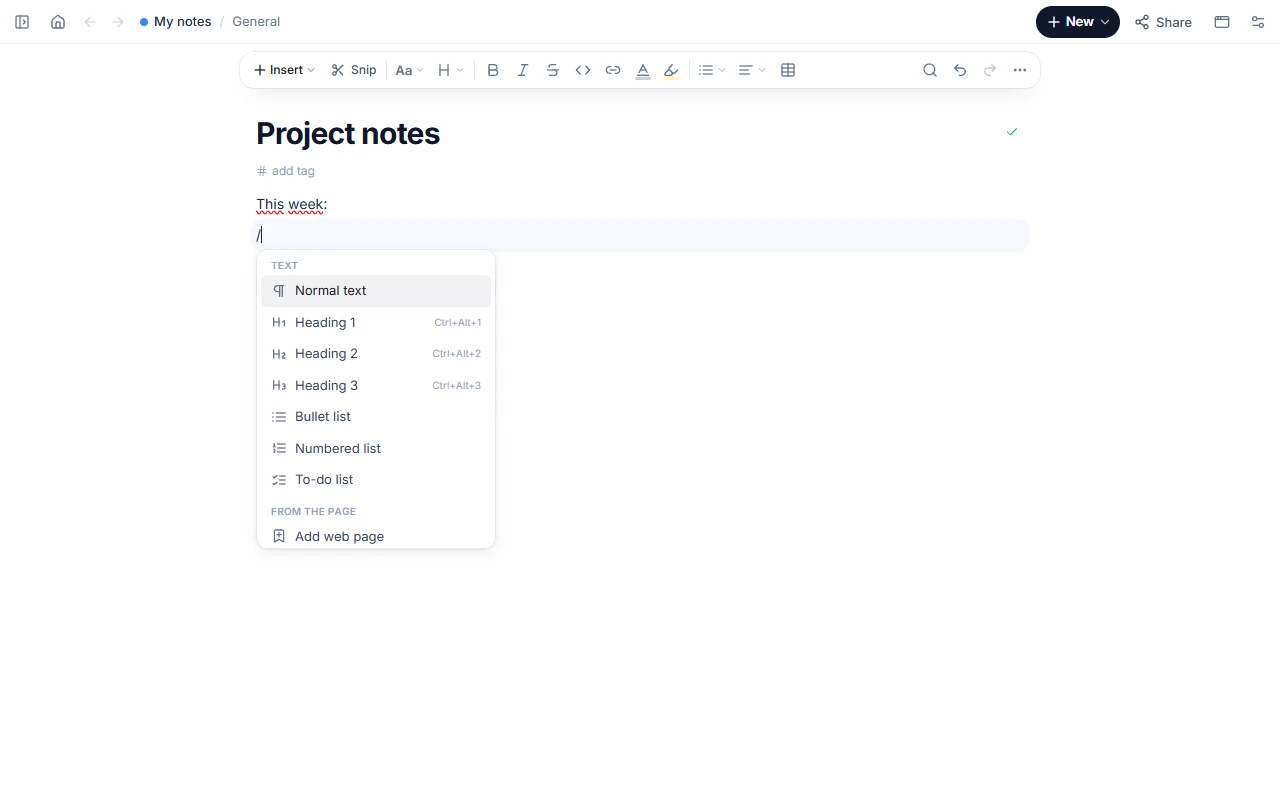
Type “/” on an empty line and a menu opens: heading, list, table, picture, web page. Keep writing without reaching for the mouse.
- Keyboard shortcuts
- Drag and drop pictures
- Everything saves as you type
Start from a template
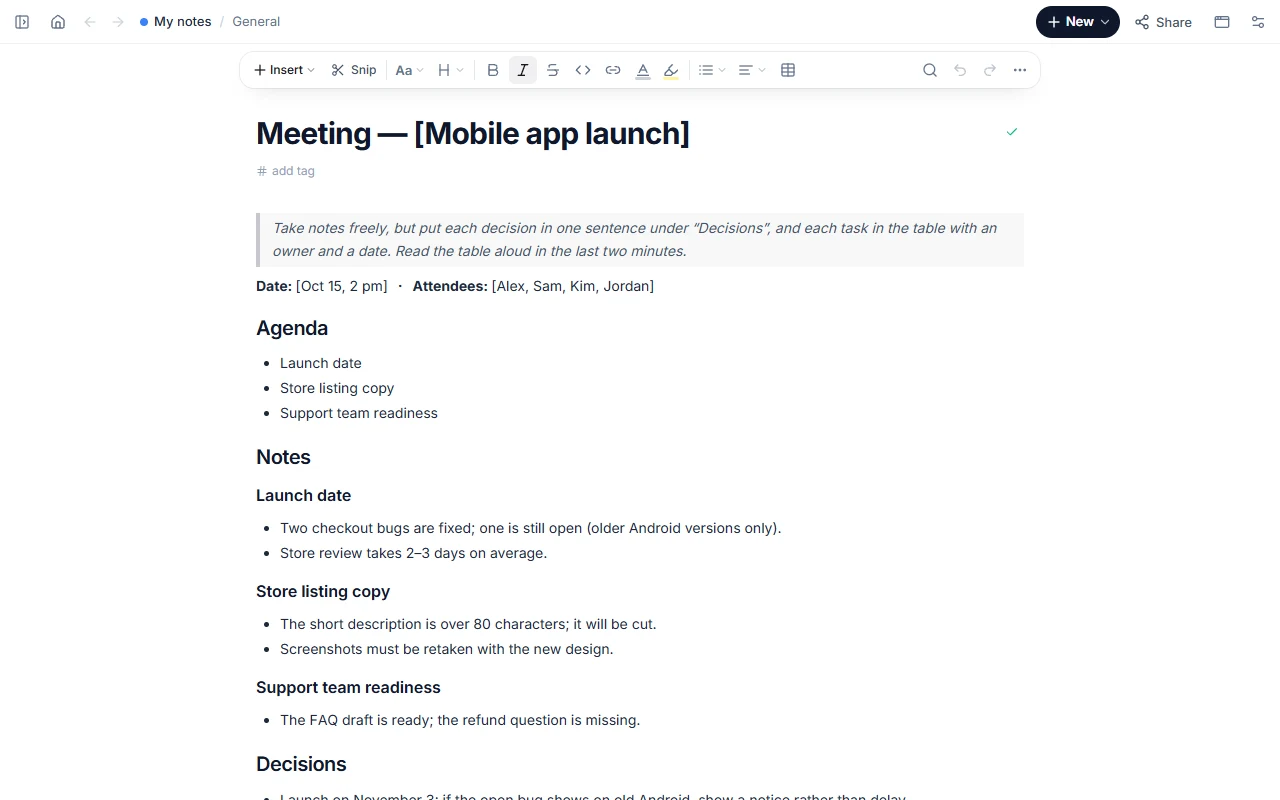
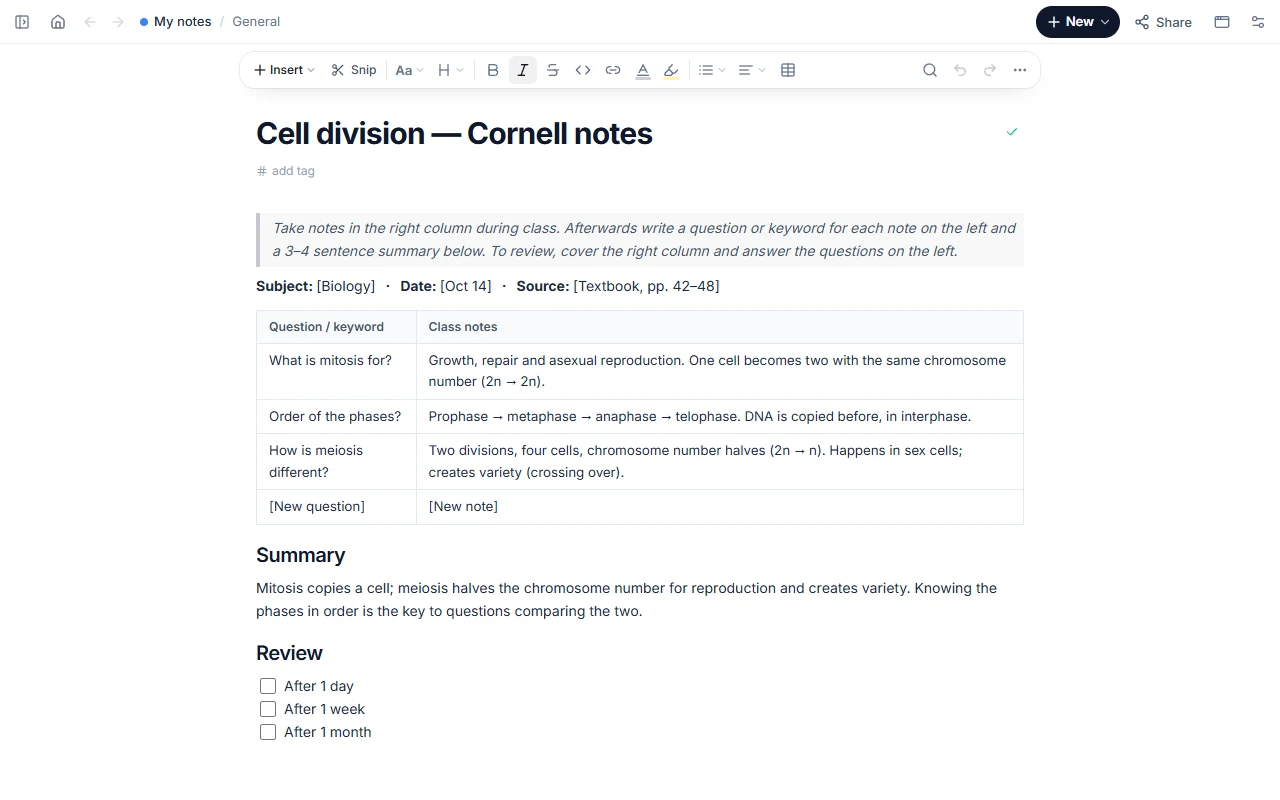
Cornell notes, meeting notes, a weekly plan, SWOT… Skip the blank page: open a template and fill it in.
- The Cornell method for studying
- Decisions and tasks from a meeting
- A CV and job application tracker
Three steps
- 1
Open the notebook
Go to webpad.studio; no account, email or download.
- 2
Write
Type a title, add anything with “/”. Everything saves itself.
- 3
Find and share
Search all your notes; share as a PDF, a Word file or a link if you like.
Questions
Where are my notes kept?
In your own browser. They don’t go to a server. You can back them up to your own Google Drive if you like.
Is it paid? Do I need an account?
No. It’s free and needs no account.
Does it work on phones?
Yes. It opens in the browser and can be added to your home screen like an app.
Can I write offline?
Once it has opened, your notes are in your browser, so you can keep writing when the connection drops.