 WebPad
Free Trello alternative
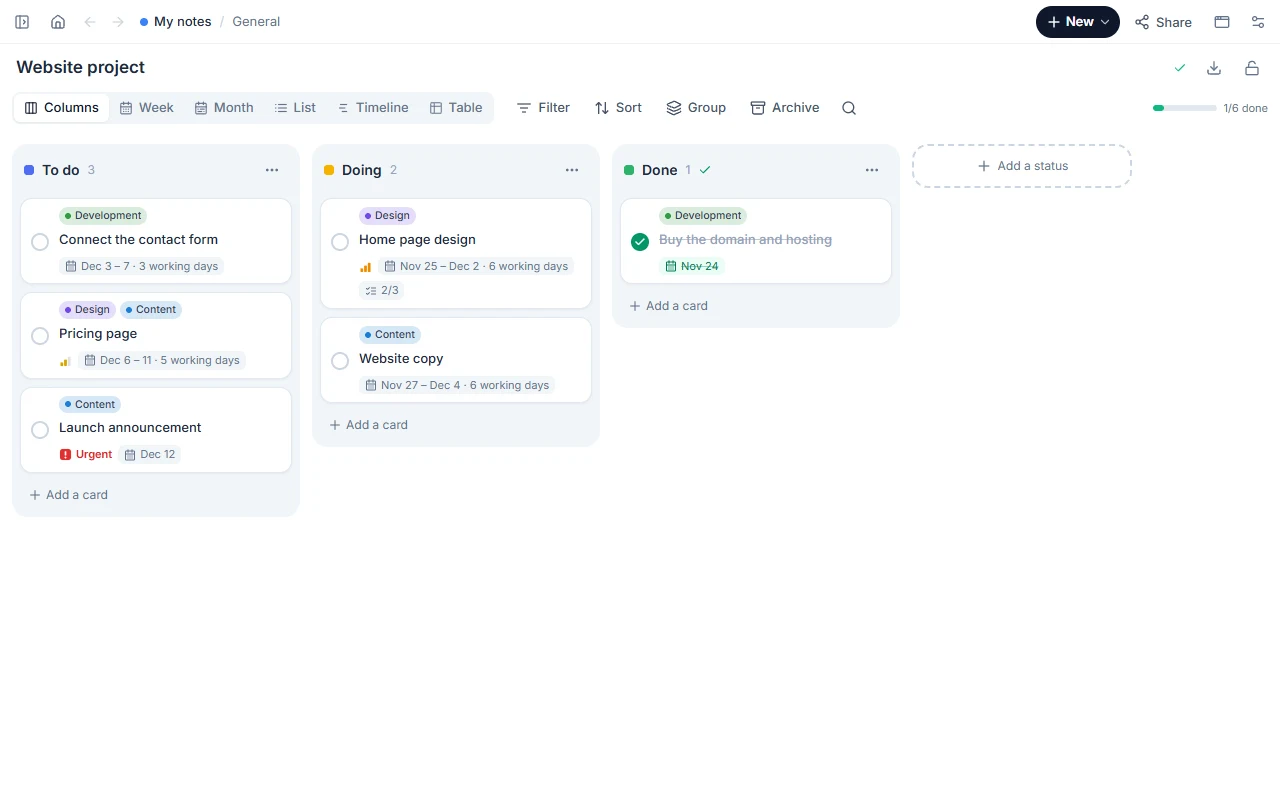
If you want a card board like Trello or Workiom but would rather not create an account, give card details or keep your work on another company’s servers: WebPad’s board runs in your browser and is free.
- Name, order and lock statuses
- Priority, labels, colour and steps on cards
- Right-click menu, bulk selection
Free · No sign-up · Your work stays in your browser · Works on phones too
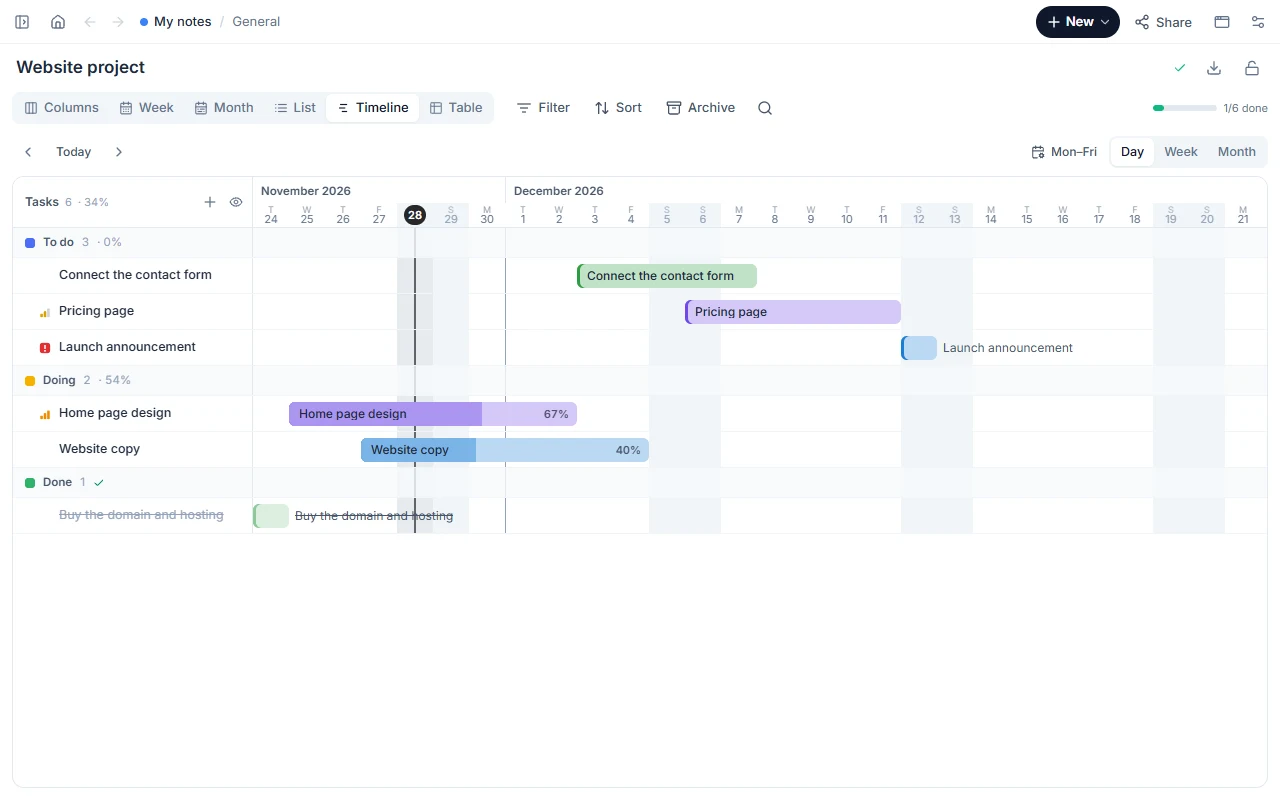
A timeline built in
See the same cards on a timeline, a month calendar or a table. No separate plan needed for the views.
- Gantt view
- Month calendar and table
- Excel export with formulas
WebPad, Trello and Workiom: the differences
All three are good tools; which one suits you depends on how you work.
| WebPad | Trello | Workiom | |
|---|---|---|---|
| Use without an account | Yes | No | No |
| Where your work is kept | Your browser (or your own Google Drive) | Trello’s servers | Workiom’s servers |
| Notes, drawings and slides in the same place | Yes | No | No |
| Working together in a large team | With a company server (WebPad Server) | Yes | Yes |
Trello’s and Workiom’s plans and features change over time; check their own sites for current details.
Switch in three steps
- 1
Open a board
Start from the ready sample project or an empty board. No account needed.
- 2
Write your tasks
Each task is a card: start and end day, priority, labels, steps.
- 3
Keep track
See it as columns, a calendar or a timeline; late work stands out on its own.
Working with a team? Assigning work, notifications and workload come with your company’s own server: WebPad Server. WebPad Server
Questions
Is moving from Trello hard?
No. It works the same way: columns and cards. The ready sample project gets you going in minutes.
Can I use it with my team?
You can share a board with a link. For a large team on the same board, Trello and Workiom are more ready-made; in WebPad that comes with your company’s own server, WebPad Server.
Is there a paid plan?
Boards, the timeline and the Excel export are free.