 WebPad
A work tracking spreadsheet, ready in Excel
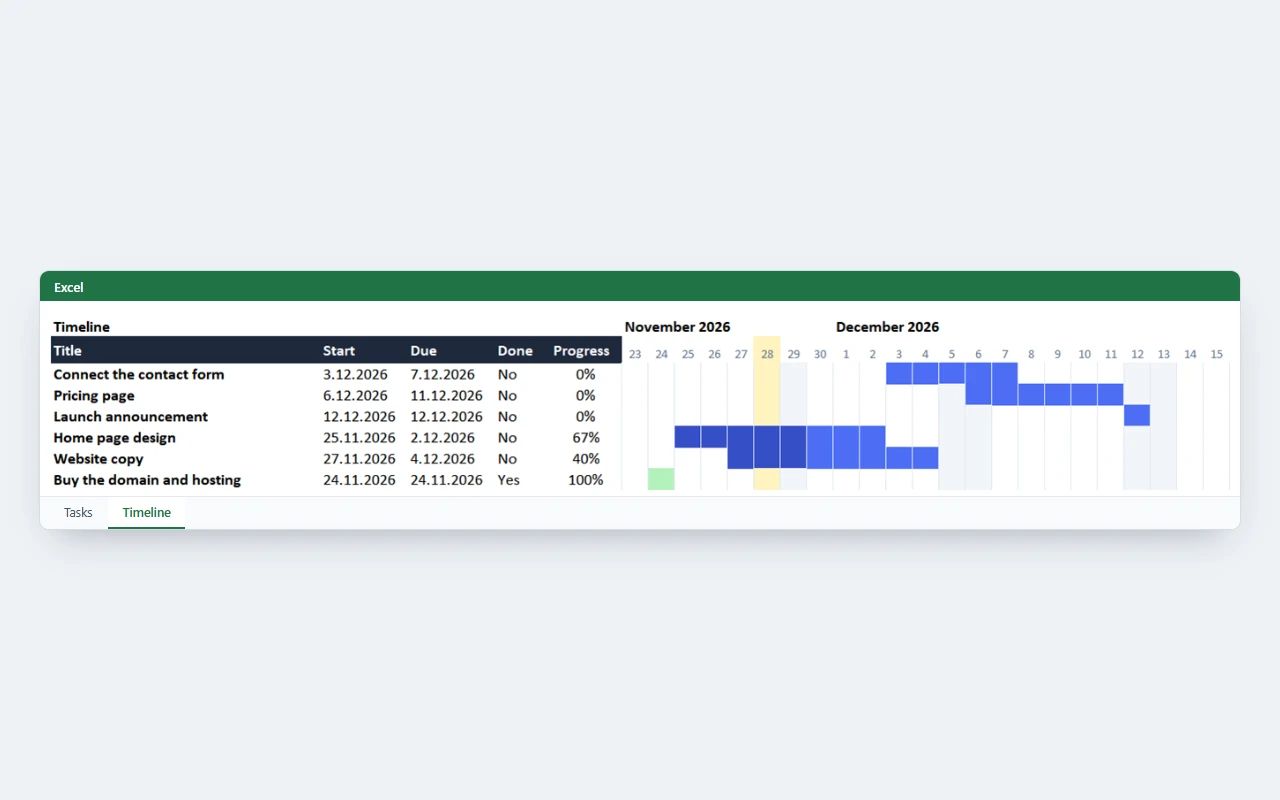
Track your tasks comfortably on a board and take them to Excel in one click when you need to. No template to build by hand: dates, working-day formulas, drop-down lists and a Gantt sheet that colours itself come ready.
- Durations in working days (weekends and holidays left out)
- Part done darker, late work red, work behind plan orange
- Drop-down lists for status, priority and done
Free · No sign-up · Your work stays in your browser · Works on phones too
Pick what you want
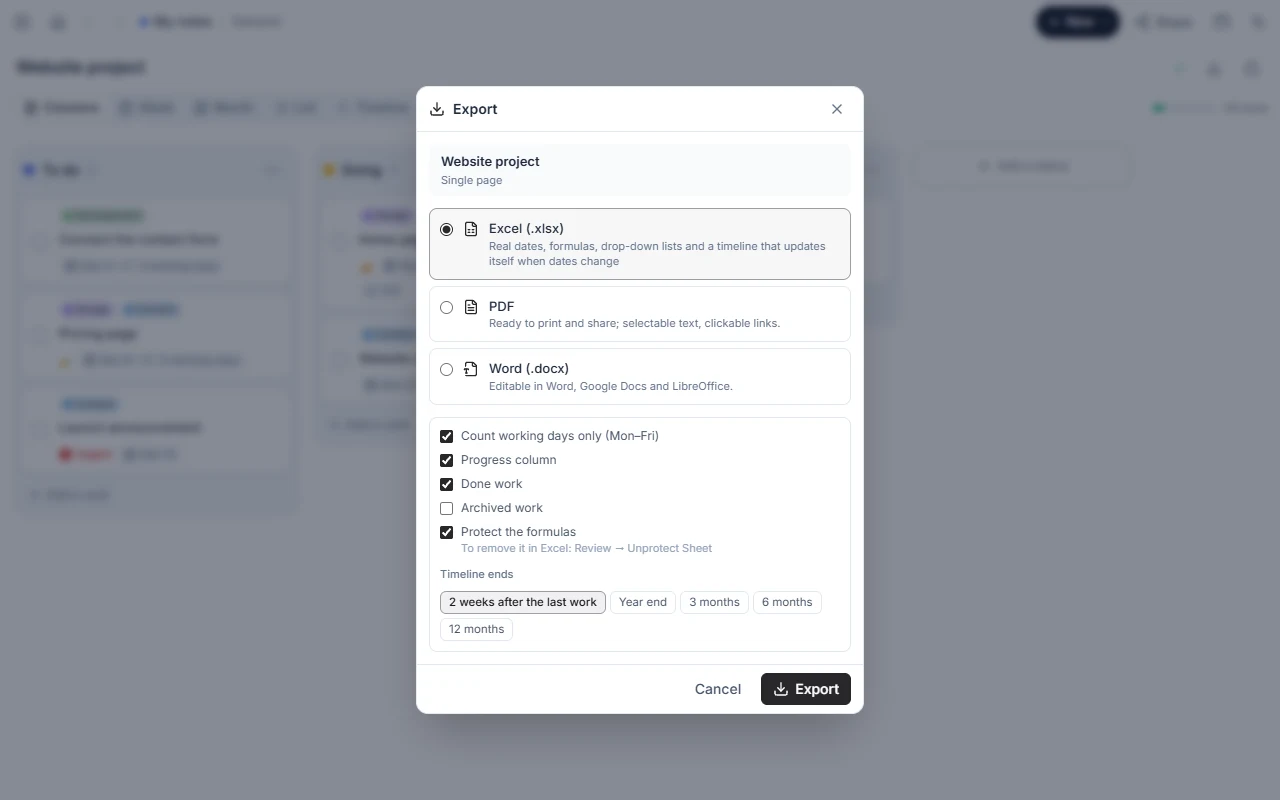
A few choices before the download: working days, a progress column, done or archived work, formula protection and how far the timeline goes.
- Formulas locked, data cells open
- The timeline to 2 weeks after the last task, year end or 12 months
- A small file that opens fast
A table without Excel, too
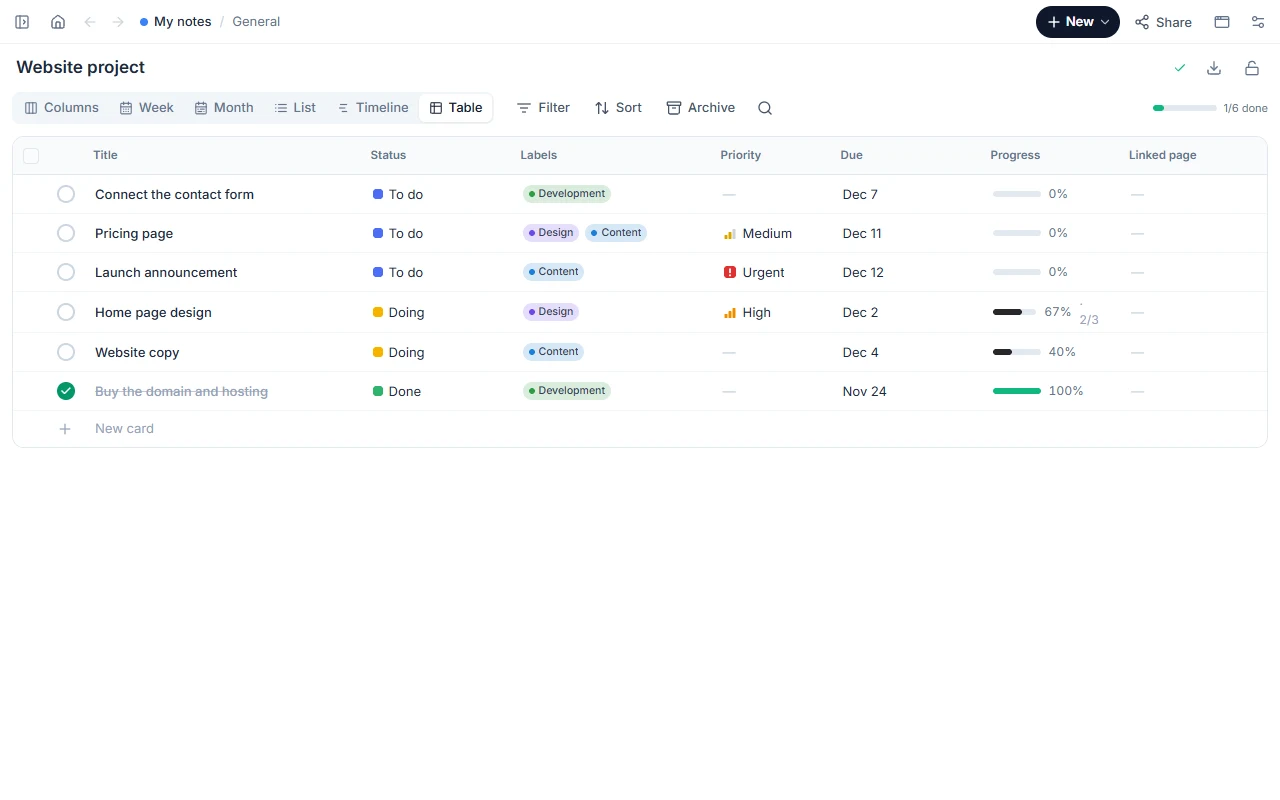
In the board’s table view click a cell to edit it, sort by a column header. Use Excel only to share or report.
- Table, columns, calendar, timeline
- Filter, sort, group
- Change many rows at once
Your Excel tracker in three steps
- 1
Open a board
Start from the sample project or an empty board.
- 2
Write your tasks
Start and end days, priority, progress.
- 3
Export to Excel
Export → Excel; pick your options and download.
Working with a team? Assigning work, notifications and workload come with your company’s own server: WebPad Server. WebPad Server
Questions
Does it open in Google Sheets?
Yes. The formulas (such as NETWORKDAYS.INTL) work in Google Sheets and LibreOffice too; sheet protection may look different in some programs.
What if I want to change the formulas?
The protection has no password: in Excel, Review → Unprotect Sheet. Or leave protection off when you download.
Is it paid?
No. The board and the Excel export are free, no account needed.
Download your first Excel tracker
Open the sample project and press Export → Excel.
Open the sample project