WebPad
What’s inside
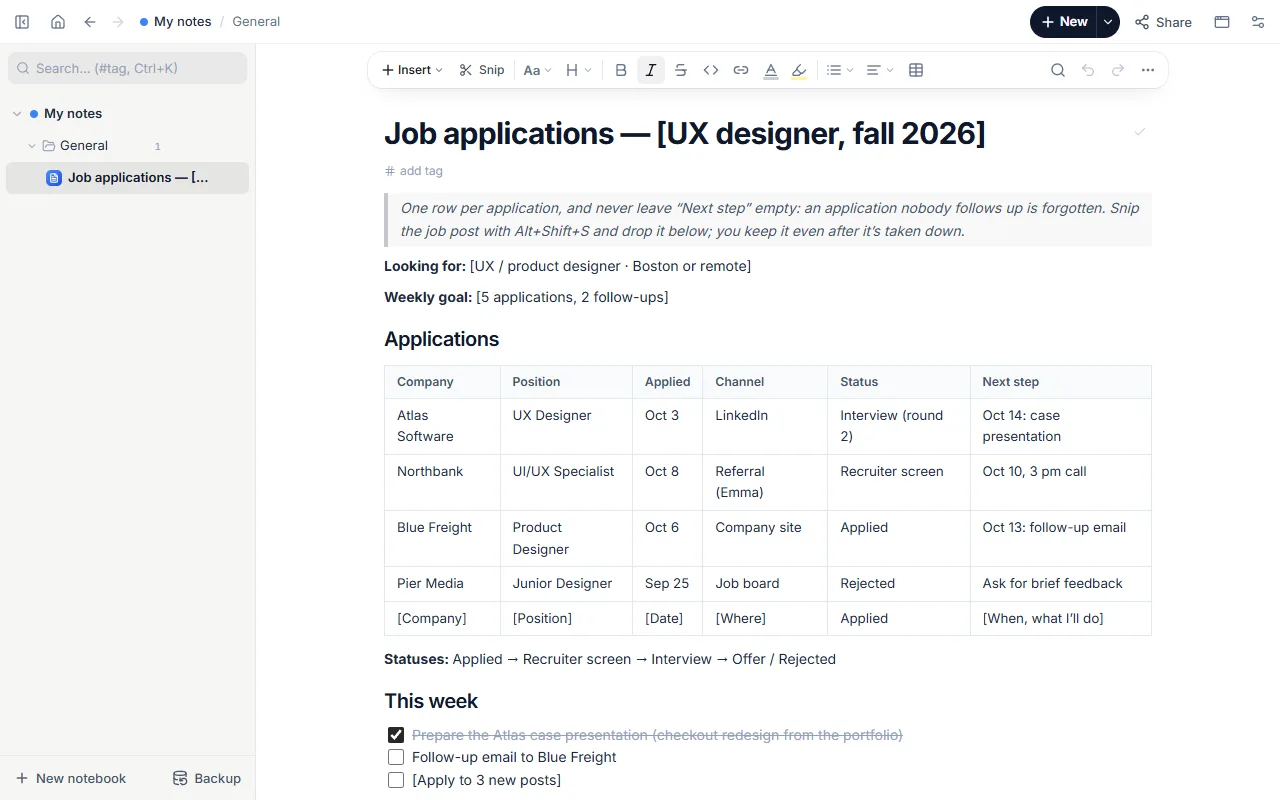
- What you’re looking for and a weekly goal
- Applications table: company, position, date, channel, status, next step (with four example applications)
- Status order: Applied → Recruiter screen → Interview → Offer / Rejected
- This week’s to-dos and “What I’ve learned” notes
- Snipped job posts
How to use it
- Open the template and put each application on a row.
- Keep the status current: applied, interview, offer, rejected.
- Snip the job post with the extension and add it under “Snipped job posts”.
- Every Monday list follow-up emails and prep under “This week”.
Tips that help
- No answer after a week? Send a short follow-up and note the date.
- Note which version of your CV you sent each time.
- Always snip the post: by the time you’re invited to interview it may be gone.
Questions
Can I write my CV here too?
Yes. Fill in the free ATS-friendly CV template in the same notebook and download Word or PDF.
Is it free? Do I need an account?
Free, and no account. “Start with this template” opens it in the WebPad Studio web version, ready to write in.
Where is what I write saved?
In your browser’s own storage, on your device only. If you like, back it up to your own Google Drive and sync it across devices; there is no server of ours.
Can I download it as PDF or Word?
Yes. Text pages download as PDF and Word, drawings save as images, and you can share a page with a link.