WebPad
What’s inside
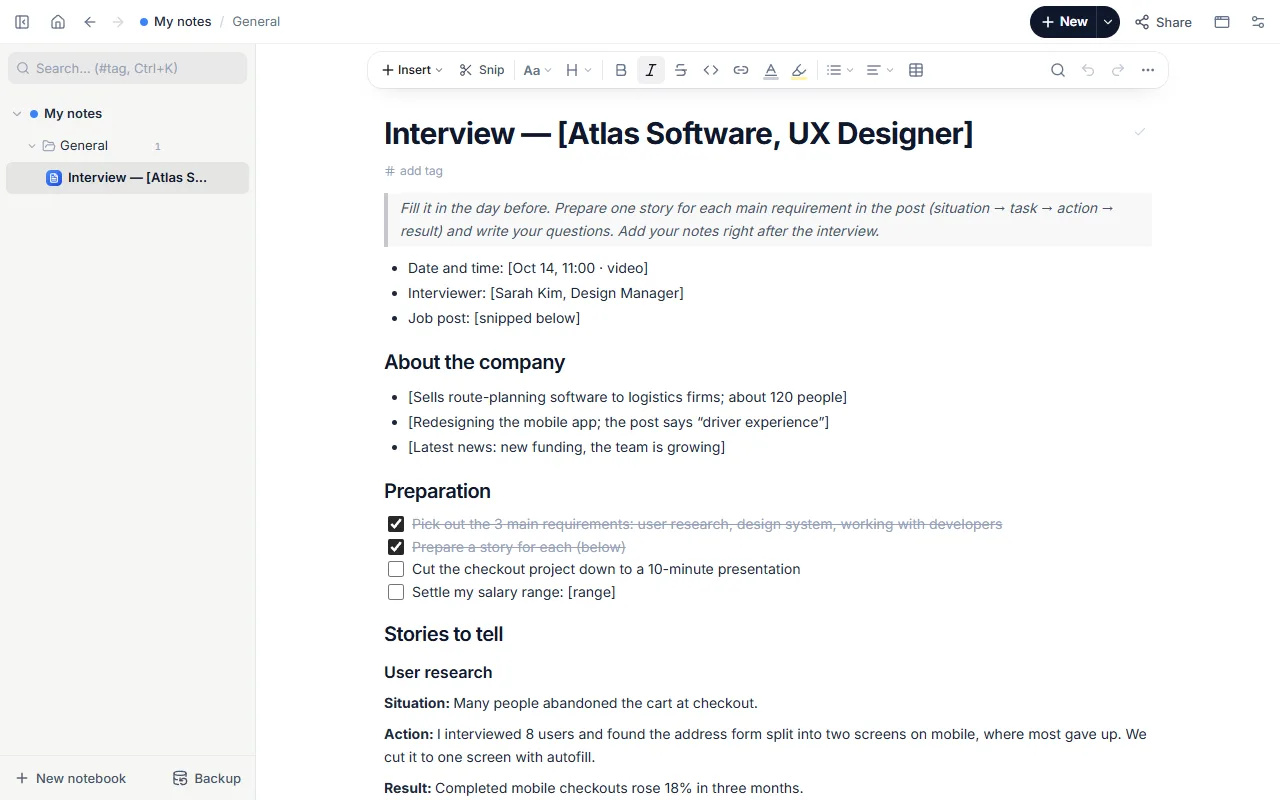
- Date, interviewer and notes on the company
- Prep checklist
- Two stories written as situation → action → result
- Draft answers to “Why are you leaving?” and “Your weakness?”
- Questions to ask, interview notes and the next step
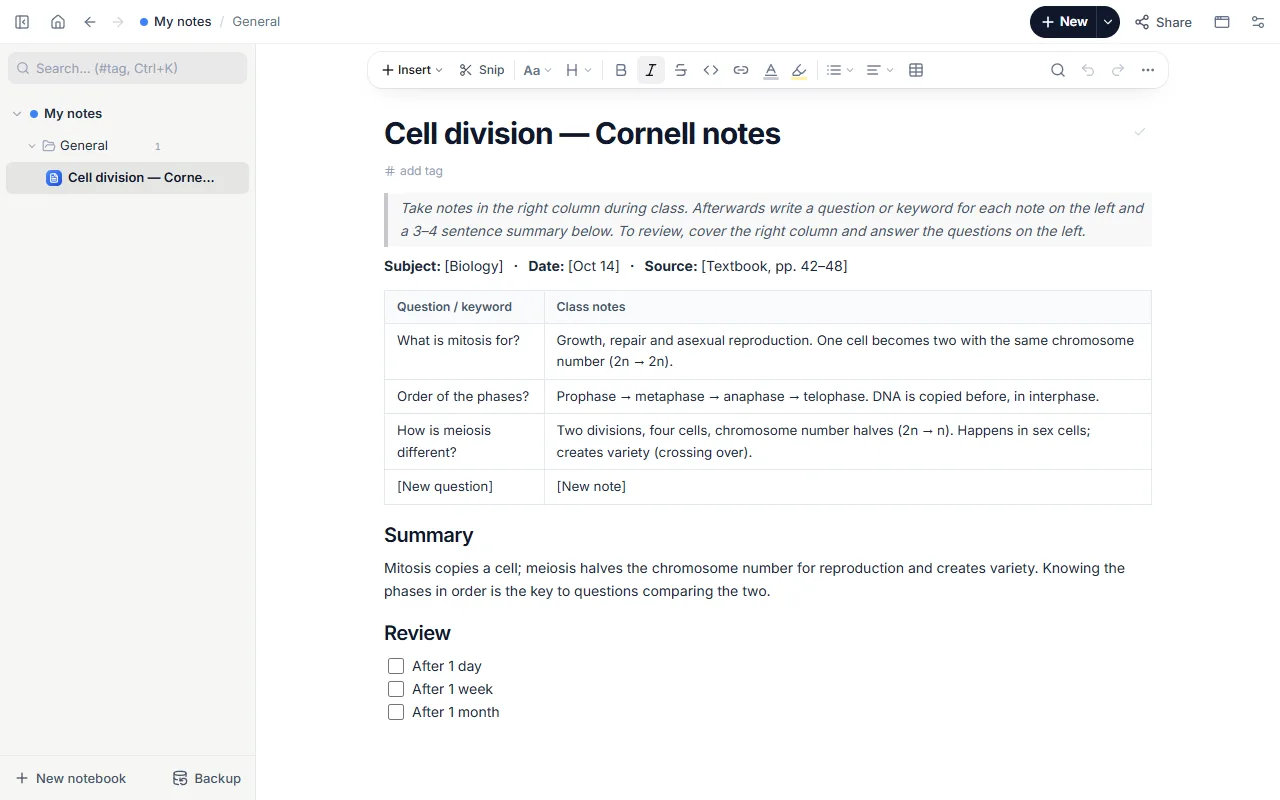
How to use it
- Open the template, fill in the interview details and snip the job post in.
- For each key requirement in the post write a story: situation, what you did, result.
- Prepare 3–4 questions for the company.
- Right after the interview write your notes and the next step.
Tips that help
- End stories with the result, with a number if you can: “We cut delivery from 2 weeks to 4 days.”
- Prepare questions about the team and the first 3 months; asking none reads as lack of interest.
- Send a short thank-you email the next day.
Questions
What is the STAR method?
A way to tell a story: Situation, Task, Action, Result. The “Stories to tell” section fits that order.
Is it free? Do I need an account?
Free, and no account. “Start with this template” opens it in the WebPad Studio web version, ready to write in.
Where is what I write saved?
In your browser’s own storage, on your device only. If you like, back it up to your own Google Drive and sync it across devices; there is no server of ours.
Can I download it as PDF or Word?
Yes. Text pages download as PDF and Word, drawings save as images, and you can share a page with a link.